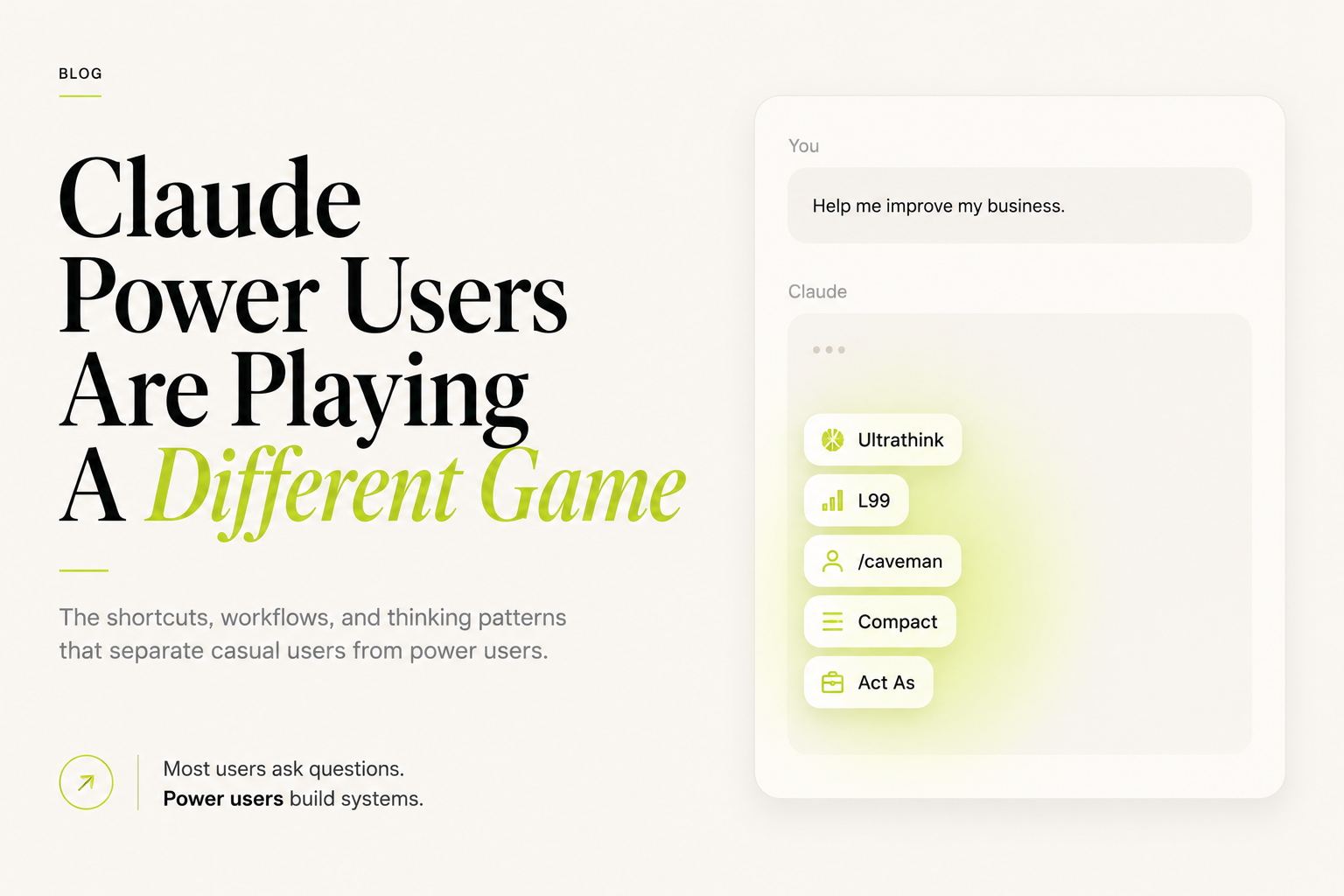
Quick Summary: Most Claude users type questions and wait for answers. Power users use structured commands, prompt patterns, and thinking shortcuts that turn Claude into a thinking partner, system builder, and expert consultant. This guide covers 99 of those patterns — organized by role, difficulty, and use case.

Introduction: The Gap Between How Most People Use Claude and How Power Users Use It
There is a version of Claude most people use. They open the chat window. They type a question. They read the answer. They close the tab.
And then there is a different version — one that most users never discover.
In this version, Claude becomes something closer to a senior consultant, a systems architect, a ruthless editor, and a strategic thinking partner. Not because Claude changed — but because the person using it changed how they communicate with it.
The difference comes down to shortcuts, commands, and prompt patterns. Small phrases and structures that unlock completely different behaviour from the model. Power users know that typing “Ultrathink:” before a complex problem gets a fundamentally different quality of analysis than typing the same problem without it. They know that “/caveman” can collapse a 3,000-word explanation into five sentences a non-technical executive can act on. They know that “L99” signals a request for the deepest, most exhaustive level of reasoning the model can produce.
These are not hacks. They are not tricks. They are communication patterns — the equivalent of knowing how to brief a talented senior colleague effectively versus dumping a vague task in their inbox.
This guide documents 99 of them. Organized by role, category, and difficulty. With examples you can use today.
Most users ask questions. Power users build systems.
Why Most Claude Users Never Unlock Claude’s Full Potential
The gap is not intelligence. It is not access. It is not even effort. The gap is framing.
Claude is a language model trained on an enormous breadth of human knowledge and trained specifically to be helpful, harmless, and honest. But “helpful” is relative to the instruction given. Vague instructions produce vague responses. Lazy inputs produce average outputs. Precise, structured, well-framed prompts produce something genuinely different.
Here are the four patterns that separate casual users from power users:
1. Power users treat Claude like a senior colleague, not a search engine. They give context, constraints, and a specific role before asking anything.
2. Power users use meta-instructions. They tell Claude how to think, not just what to think about.
3. Power users iterate. The first response is a draft. Power users use follow-up commands to shape the output until it is exactly what they need.
4. Power users use shortcuts. This guide is about that fourth habit.
The 5 Most Important Claude Power User Shortcuts
1. Ultrathink
What it does: Triggers Claude’s deepest extended reasoning mode. When you prefix a prompt with Ultrathink:, you signal that this problem deserves maximum analytical depth — not a quick answer, but a thorough, multi-layered examination.
When to use it: Complex strategic decisions. Problems with no obvious answer. Situations where getting it wrong has real consequences. Anything involving second and third-order effects.
Example:
Ultrathink: My company is considering expanding from UAE to Saudi Arabia in the next 18 months.
We have 45 employees, AED 8M in annual revenue, and our core service is AI implementation
consulting. What should we think about before committing to this decision?
What you get: Not a generic expansion checklist. A structured, layered analysis that considers market differences, regulatory environment, competitive dynamics, talent availability, capital requirements, and sequencing — in the order of importance for your specific situation.
2. L99
What it does: Instructs Claude to operate at the highest possible depth — level 99 out of 100. It is a shorthand for “don’t simplify, don’t summarise, don’t hedge — give me everything.”
When to use it: Research deep-dives. Technical analysis. Situations where you need the full picture before making a decision, and you have time to read a comprehensive response.
Example:
L99: Explain the complete landscape of AI agent frameworks in 2025 — architectures,
leading platforms, trade-offs, real-world deployment patterns, and where the field
is heading in the next 24 months.
Important distinction: Use L99 when you need depth and have time to process it. Use “Compact” when you need concision. Do not use both in the same prompt — they are directionally opposite instructions.
3. /caveman
What it does: Strips a complex concept down to its absolute simplest form. No jargon, no technical vocabulary, no assumed knowledge.
When to use it: Preparing explanations for non-technical executives. Simplifying complex ideas for client presentations. Testing whether you truly understand something.
Example:
/caveman: Explain what a vector database is and why businesses are using it in AI applications.What you get: “A vector database is like a really smart filing system. Instead of organising files by name or date, it organises them by meaning. So when you search for ‘sales performance last quarter’, it can find documents about revenue, growth rates, and team targets — even if none of those documents contain the exact words ‘sales performance’.”
4. Compact
What it does: Instructs Claude to condense its response to the minimum viable communication — the essential insight, stripped of preamble, qualifications, and padding.
When to use it: After a long analysis when you need the headline version. When you need to paste something into a slide or email. When you are processing many outputs quickly.
Example:
[After a long strategic analysis]
Compact: Give me the three decisions I need to make and the recommended path for each.
5. Act As
What it does: Assigns Claude a specific expert identity for the duration of the conversation. This is the most versatile shortcut in the library because it changes the entire orientation of the model’s responses.
Examples:
Act As: A CFO who has scaled three SaaS companies from $2M to $50M ARR.
I need to think through our pricing model.

Act As: A management consultant from McKinsey specialising in operational
transformation. Review my process map and tell me where the inefficiencies are.

Act As: A senior copywriter who has worked on B2B technology brands.
Rewrite this homepage headline.
The key insight: “Act As” is not about roleplay. It is about importing a specific lens, vocabulary, and set of priorities into the conversation.
The Complete Claude Shortcut Library: All 99
Strategy (1–12)
| # | Shortcut | Purpose | Best Use Case | Difficulty | Example Prompt |
|---|---|---|---|---|---|
| 1 | Ultrathink | Maximum reasoning depth | Complex strategic decisions | Intermediate | Ultrathink: Should we acquire this competitor or build the capability in-house? |
| 2 | L99 | Exhaustive depth on a topic | Research, technical briefings | Intermediate | L99: Walk me through the full implementation architecture for an AI-powered CRM. |
| 3 | First Principles | Strip to core fundamentals | Challenging assumptions | Intermediate | First Principles: Why do enterprise software implementations fail? Start from scratch. |
| 4 | Second-Order Effects | Think beyond immediate impact | Risk analysis, strategic planning | Advanced | Second-Order Effects: We automate our customer service team. What happens next? |
| 5 | Pre-mortem | Failure scenario planning | Before launching projects | Advanced | Pre-mortem: It's 18 months from now and this product launch failed. What went wrong? |
| 6 | Steelman | Build strongest opposing view | Challenging your own thinking | Advanced | Steelman: The case against us expanding to Saudi Arabia right now. |
| 7 | Devil’s Advocate | Structured pushback | Testing ideas before committing | Intermediate | Devil's Advocate: My plan to move from retainer to project-based billing. |
| 8 | Scenario Planning | Map multiple possible futures | Long-term strategy | Advanced | Scenario Planning: Three futures for AI consulting in the GCC — 2 years out. |
| 9 | Red Team | Attack your own position | Security, strategy, pitches | Advanced | Red Team: Find every weak point in this business proposal. |
| 10 | Invert | Work backwards from failure | Problem solving | Intermediate | Invert: Instead of asking how to retain clients, ask what would guarantee we lose them. |
| 11 | North Star | Define ultimate success clearly | Goal-setting, strategy alignment | Beginner | North Star: What single measure tells us this AI transformation succeeded? |
| 12 | Constraint Removal | Remove limits to unlock thinking | Blue-sky ideation | Intermediate | Constraint Removal: If we had unlimited budget and a 5-year runway, how would we build this? |
Consulting (13–24)
| # | Shortcut | Purpose | Best Use Case | Difficulty | Example Prompt |
|---|---|---|---|---|---|
| 13 | Act As | Expert persona mode | Any domain expertise needed | Beginner | Act As: A Big 4 management consultant. Review this operating model. |
| 14 | Executive Mode | C-suite communication style | Board presentations | Beginner | Executive Mode: Summarise this 12-page report the way a CEO needs to hear it. |
| 15 | Framework It | Build structured approach | Consulting deliverables | Intermediate | Framework It: Create a structured approach for assessing a company's AI readiness. |
| 16 | Gap Analysis | Identify what’s missing | Process reviews, audits | Intermediate | Gap Analysis: Here is our current sales process. What is missing vs best practice? |
| 17 | Benchmark Against | Compare to industry standard | Competitive positioning | Intermediate | Benchmark Against: Compare our customer onboarding against leading SaaS companies. |
| 18 | Pressure Test | Challenge validity | Before presenting recommendations | Advanced | Pressure Test: Here are my three recommendations. Where am I most likely to be wrong? |
| 19 | Write a Brief | Strategic document creation | Client kick-offs, project starts | Beginner | Write a Brief: For an AI automation project with a 60-person logistics company. |
| 20 | SWOT This | Four-quadrant analysis | Opportunity evaluation | Beginner | SWOT This: Our plan to offer AI training programmes in the UAE market. |
| 21 | Stakeholder Map | Identify and categorize stakeholders | Change management, implementations | Intermediate | Stakeholder Map: For an ERP implementation in a 300-person manufacturing company. |
| 22 | Recommendation Mode | Clear, direct recommendations only | Decision support | Beginner | Recommendation Mode: Based on this analysis, what should we do? Be direct. |
| 23 | Build a Rubric | Create evaluation criteria | Vendor selection, hiring | Intermediate | Build a Rubric: For evaluating AI automation platform vendors. 10 criteria, weighted. |
| 24 | Decision Tree | Map decision branches | Complex multi-path decisions | Advanced | Decision Tree: Should we build, buy, or partner for our AI capability? |
Research (25–36)
| # | Shortcut | Purpose | Best Use Case | Difficulty | Example Prompt |
|---|---|---|---|---|---|
| 25 | Triangulate | Verify from multiple angles | Fact-checking, validation | Advanced | Triangulate: Three independent reasons this market sizing estimate could be wrong. |
| 26 | Synthesize | Combine sources into one view | Research summaries | Intermediate | Synthesize: These five perspectives on AI adoption in SMEs into one coherent picture. |
| 27 | Pattern Match | Find recurring themes | Data analysis, research | Intermediate | Pattern Match: Across these 10 client situations, what explains why implementations fail? |
| 28 | Hypothesis Mode | Exploratory investigation | Early-stage research | Intermediate | Hypothesis Mode: Why might enterprise AI adoption be slower in the GCC than in the US? |
| 29 | Ground Truth Check | Verify base assumptions | Before building on assumptions | Advanced | Ground Truth Check: List every assumption embedded in this business plan. |
| 30 | Extract Insights | Pull key learnings | Analysing reports, interviews | Beginner | Extract Insights: From this customer interview transcript. What are the three key signals? |
| 31 | Compare and Contrast | Side-by-side analysis | Vendor evaluation, option selection | Beginner | Compare and Contrast: Microsoft Copilot vs Claude for enterprise knowledge management. |
| 32 | Cross-Reference | Connect related ideas | Complex research | Advanced | Cross-Reference: How does lean manufacturing apply to AI implementation projects? |
| 33 | Annotate | Add context to information | Reports, documents | Beginner | Annotate: This financial summary with plain-English explanations of each metric. |
| 34 | Memory Dump | Get everything on a topic | Initial research | Intermediate | Memory Dump: Everything relevant about implementing AI in logistics in the GCC. |
| 35 | Literature Review | Academic-style analysis | Deep research | Advanced | Literature Review: What does research say about ROI of process automation in mid-market companies? |
| 36 | Systematic Review | Methodical step-by-step analysis | Due diligence | Advanced | Systematic Review: This acquisition target's digital infrastructure. Cover every layer. |
Writing (37–48)
| # | Shortcut | Purpose | Best Use Case | Difficulty | Example |
|---|---|---|---|---|---|
| 37 | Voice Match | Mirror a specific writing style | Brand consistency | Intermediate | Voice Match: Rewrite in the style of the Stripe blog — clear, technical, no fluff. |
| 38 | Formalize | Convert casual to professional | Client communications | Beginner | Formalize: This WhatsApp message into a professional email. |
| 39 | Informalize | Convert formal to conversational | Social media, newsletters | Beginner | Informalize: This executive report section into a LinkedIn post. |
| 40 | Ruthless Edit | Cut aggressively | Tightening any written piece | Intermediate | Ruthless Edit: This proposal section. Cut 40% without losing any meaning. |
| 41 | Reframe | Change perspective of content | Repositioning arguments | Intermediate | Reframe: This ROI argument from cost-saving to revenue-growth message. |
| 42 | Add Nuance | Increase complexity and depth | Thought leadership content | Advanced | Add Nuance: This section oversimplifies the trade-offs. Make it more honest. |
| 43 | Compress | Shorter without losing meaning | Executive summaries | Beginner | Compress: This 500-word update into 100 words. |
| 44 | Unpack | Expand with more detail | Turning bullets into prose | Beginner | Unpack: This bullet point into a full paragraph with context and examples. |
| 45 | Amplify | Make arguments stronger | Persuasive writing | Intermediate | Amplify: The urgency in this proposal without sounding salesy. |
| 46 | Neutralize | Remove bias or spin | Balanced communications | Intermediate | Neutralize: Remove any promotional language from this case study. |
| 47 | No Hedge | Remove qualifications | Direct communication | Beginner | No Hedge: Rewrite without "it depends" or "it could be". |
| 48 | Tone Shift | Change communication register | Audience adaptation | Beginner | Tone Shift: Make this more urgent without being alarmist. |
Content Creation (49–60)
| # | Shortcut | Purpose | Best Use Case | Difficulty | Example |
|---|---|---|---|---|---|
| 49 | /caveman | Simplest possible explanation | Non-technical audiences | Beginner | /caveman: Explain how large language models work. |
| 50 | ELI5 | Explain like I’m 5 | Teaching complex concepts | Beginner | ELI5: What is prompt engineering and why does it matter? |
| 51 | Adapt For | Adjust for specific audience | Repurposing content | Beginner | Adapt For: Rewrite this for HR directors, not IT teams. |
| 52 | Localize For | Cultural/regional adaptation | GCC, regional markets | Intermediate | Localize For: Adapt this case study for a Saudi Arabian enterprise audience. |
| 53 | Serialize | Convert to content series | LinkedIn, newsletters, blogs | Intermediate | Serialize: Turn this 2,000-word guide into a 5-part LinkedIn series. |
| 54 | Modularize | Break into reusable components | Content libraries, SOPs | Intermediate | Modularize: Break this training guide into standalone modules. |
| 55 | Template This | Create repeatable structure | SOPs, recurring deliverables | Beginner | Template This: Build a reusable template from this client onboarding document. |
| 56 | Repurpose As | Convert to different format | Content multiplication | Beginner | Repurpose As: Turn this blog into a Twitter thread, LinkedIn post, and email. |
| 57 | Hook It | Write attention-grabbing opening | Blogs, posts, emails | Intermediate | Hook It: Write 5 opening lines for this article that stop the scroll. |
| 58 | CTA Mode | Optimize for action | Emails, landing pages | Intermediate | CTA Mode: Rewrite this section to end with a clear, natural call to action. |
| 59 | Story Mode | Wrap insight in narrative | Case studies, presentations | Intermediate | Story Mode: Turn these three data points into a compelling business story. |
| 60 | Headline Lab | Generate multiple headline options | Articles, ads, emails | Beginner | Headline Lab: Write 10 headline variations. Mix formats — question, number, statement. |
Marketing (61–72)
| # | Shortcut | Purpose | Best Use Case | Difficulty | Example |
|---|---|---|---|---|---|
| 61 | Persona Mode | Write for specific ICP | Targeted messaging | Intermediate | Persona Mode: 45-year-old operations director at a UAE manufacturing company. Pain: manual work. Goal: visibility. |
| 62 | Objection Handle | Address concerns | Sales, proposals, landing pages | Intermediate | Objection Handle: Top 5 reasons a CFO would reject this AI proposal, and how we address each. |
| 63 | Before/After | Show transformation | Case studies, sales pages | Beginner | Before/After: Write a before-and-after narrative for our WhatsApp AI implementation. |
| 64 | Positioning Statement | Craft market position | Brand strategy | Advanced | Positioning Statement: For an AI consulting firm targeting mid-market companies in the GCC. |
| 65 | Tagline Mode | Short memorable phrases | Branding, campaigns | Intermediate | Tagline Mode: 10 tagline options for an AI automation consultancy. Tone: confident, not techy. |
| 66 | Social Proof Frame | Structure testimonials | Case studies, websites | Beginner | Social Proof Frame: Turn this client quote into a formatted testimonial with context and results. |
| 67 | Urgency Layer | Add time/scarcity elements | Sales, campaigns | Intermediate | Urgency Layer: Add natural urgency to this proposal without manufactured pressure. |
| 68 | Brand Voice | Apply consistent tone | All external communications | Intermediate | Brand Voice: Here is our tone guide. Rewrite this blog intro to match exactly. |
| 69 | Conversion Mode | Optimize for specific action | Emails, pages, proposals | Advanced | Conversion Mode: Audit this landing page copy. What is stopping people from clicking the CTA? |
| 70 | Value Ladder | Map value progression | Offer design, upsells | Advanced | Value Ladder: Map a progression from free content to AED 50,000 consulting engagement. |
| 71 | ICP Profile | Build ideal customer profile | Strategy, targeting | Intermediate | ICP Profile: Build a detailed profile of our ideal client for AI automation consulting in UAE. |
| 72 | Email Sequence | Build multi-email nurture | Drip campaigns | Intermediate | Email Sequence: 5-email sequence for leads who downloaded our AI strategy guide. |
Business Analysis (73–81)
| # | Shortcut | Purpose | Best Use Case | Difficulty | Example |
|---|---|---|---|---|---|
| 73 | Systems Thinking | See whole system | Complex organisational problems | Advanced | Systems Thinking: Map how billing delays cascade into cash flow and client retention issues. |
| 74 | Root Cause | Find underlying issue | Problem diagnosis | Intermediate | Root Cause: Our project delivery keeps slipping. Work backwards from the symptom. |
| 75 | Prioritize By | Rank by specific criteria | Backlogs, decisions | Beginner | Prioritize By: ROI and implementation speed. Rank these 8 automation opportunities. |
| 76 | Score This | Evaluate with criteria | Vendor selection, proposals | Intermediate | Score This: Our three shortlisted CRM vendors against 7 criteria. Score out of 10. |
| 77 | Map Dependencies | Show relationships | Project planning, systems | Intermediate | Map Dependencies: For this ERP implementation. What blocks what? |
| 78 | Sequence This | Order steps logically | Project planning, SOPs | Beginner | Sequence This: The correct order for a company to implement AI — from readiness to deployment. |
| 79 | Audit This | Review for issues | Processes, documents | Intermediate | Audit This: Our client onboarding SOP. Flag anything that creates delays or confusion. |
| 80 | Validate My Thinking | Sanity check | Before committing to a decision | Intermediate | Validate My Thinking: I believe we should expand before growing revenue. Push back if wrong. |
| 81 | What Am I Missing | Gap identification | Before finalising anything | Intermediate | What Am I Missing: Here is my business plan. What have I not considered? |
Productivity (82–87)
| # | Shortcut | Purpose | Best Use Case | Difficulty | Example |
|---|---|---|---|---|---|
| 82 | Output Only | Skip preamble, just result | Fast iteration | Beginner | Output Only: The email. No explanation, no alternatives. Just the final version. |
| 83 | TL;DR | One-paragraph summary | Long documents | Beginner | TL;DR: This 20-page market research report in 3 sentences. |
| 84 | Checklist Mode | Convert to actionable checklist | SOPs, processes | Beginner | Checklist Mode: Convert this AI implementation guide into a step-by-step checklist. |
| 85 | Batch Mode | Process multiple items | High-volume work | Intermediate | Batch Mode: Rewrite all 12 of these subject lines. Same format for each. |
| 86 | Compact | Condense to essentials | After long analyses | Beginner | Compact: Reduce this analysis to its three core conclusions. |
| 87 | Step-by-Step | Sequential breakdown | Instructions, training | Beginner | Step-by-Step: How to connect Power BI to a live SQL database. No technical knowledge assumed. |
Automation & AI Agents (88–93)
| # | Shortcut | Purpose | Best Use Case | Difficulty | Example |
|---|---|---|---|---|---|
| 88 | Build a Workflow | Map automation sequence | n8n, Make, Zapier | Intermediate | Build a Workflow: Automatically qualifying WhatsApp leads and booking meetings in Google Calendar. |
| 89 | Write the Prompt | Create prompts for other AI tools | AI agent building | Intermediate | Write the Prompt: For a WhatsApp AI agent when a lead says their budget is under AED 10,000. |
| 90 | API Ready | Format for developer use | Technical handoffs | Advanced | API Ready: Convert this business logic into a spec a developer can build from. |
| 91 | Chain This | Sequential AI workflow | Multi-step automation | Advanced | Chain This: Lead capture, qualification, CRM update, and follow-up email. |
| 92 | Error Handling | Build fallback logic | Robust automation | Advanced | Error Handling: What should this AI agent do when it encounters a question it cannot answer? |
| 93 | Documentation Mode | Write technical docs | Handoffs, onboarding | Intermediate | Documentation Mode: Write the technical spec for this workflow so a new developer can maintain it. |
Coding (94–96)
| # | Shortcut | Purpose | Best Use Case | Difficulty | Example |
|---|---|---|---|---|---|
| 94 | Rubber Duck | Explain code out loud | Debugging | Beginner | Rubber Duck: Walk me through what this function is doing line by line. |
| 95 | Refactor This | Improve code structure | Code quality | Intermediate | Refactor This: Python function to be more readable and handle edge cases. |
| 96 | Debug Mode | Find and fix errors | Broken code | Intermediate | Debug Mode: This function returns null when input contains Arabic characters. Find the issue. |
Learning & Decision Making (97–99)
| # | Shortcut | Purpose | Best Use Case | Difficulty | Example |
|---|---|---|---|---|---|
| 97 | What Would X Do | Adopt a mental model | Decisions, strategy | Intermediate | What Would X Do: How would Jeff Bezos approach this pricing decision? |
| 98 | Meta Prompt | Improve the prompt itself | Better results | Advanced | Meta Prompt: Here is my prompt. Rewrite it to get a better answer from Claude. |
| 99 | Play Both Sides | Full perspective analysis | Negotiations, strategy | Advanced | Play Both Sides: Argue for and against us accepting this acquisition offer. Full strength for each side. |
Top 25 Shortcuts Every Business Professional Should Know
If you are a business leader, manager, or executive, these 25 shortcuts will have the highest return on your time:
The Essentials: Act As · Executive Mode · Ultrathink · Pre-mortem · SWOT This · Steelman · Gap Analysis · Recommendation Mode · Compact · Validate My Thinking
For Communication: Formalize · Informalize · No Hedge · Before/After · Compress · TL;DR
For Strategy: Scenario Planning · Second-Order Effects · North Star · Prioritize By · First Principles
For Operations: Root Cause · Sequence This · Map Dependencies · Audit This · Checklist Mode
Top 25 Shortcuts Every Consultant Should Know
Framework It · Benchmark Against · Stakeholder Map · Write a Brief · Red Team · Pressure Test · Devil’s Advocate · Build a Rubric · Decision Tree · Pattern Match · Ground Truth Check · Synthesize · L99 · Systems Thinking · Score This · Executive Mode · Hypothesis Mode · Triangulate · Play Both Sides · Pre-mortem · What Am I Missing · Gap Analysis · Voice Match · Ruthless Edit · Steelman
Top 25 Shortcuts Every Content Creator Should Know
Hook It · /caveman · Headline Lab · Serialize · Repurpose As · Adapt For · Voice Match · Story Mode · Before/After · CTA Mode · Tone Shift · Ruthless Edit · Amplify · Localize For · Informalize · Social Proof Frame · Email Sequence · Brand Voice · ELI5 · Modularize · Template This · No Hedge · Urgency Layer · ICP Profile · Meta Prompt
Top 25 Shortcuts Every AI Builder Should Know
Build a Workflow · Write the Prompt · Chain This · Error Handling · API Ready · Documentation Mode · Debug Mode · Refactor This · Rubber Duck · L99 · First Principles · Systems Thinking · Map Dependencies · Sequence This · Second-Order Effects · Ground Truth Check · Hypothesis Mode · Benchmark Against · Audit This · Prioritize By · Framework It · What Am I Missing · Pre-mortem · Meta Prompt · Play Both Sides
Real Examples of Using Claude in Business
Situation 1: Preparing a Board Presentation on AI Readiness
1. L99: Assess what AI readiness means for a 200-person manufacturing company in Dubai.
2. Framework It: Build a 5-category assessment model.
3. Executive Mode: Convert this into a 10-slide board presentation structure.
4. Compact: Give me the three headline messages the board needs to walk away with.
Time saved: approximately 6 hours of research and structure work.
Situation 2: Writing a Client Proposal for ERP Implementation
1. Act As: A senior ERP consultant who has implemented Odoo for 50+ companies.
2. Write a Brief: For a 90-day ERP implementation for a Riyadh logistics company, 150 employees.
3. Objection Handle: Five reasons their CFO will push back on this proposal.
4. Ruthless Edit: Cut this proposal from 8 pages to 5.
5. No Hedge: Every recommendation as a recommendation, not a possibility.
Situation 3: Building a WhatsApp AI Agent
1. Build a Workflow: WhatsApp AI agent that qualifies real estate leads.
2. Write the Prompt: For when the lead says their budget is below the minimum threshold.
3. Error Handling: Three fallback responses for questions the agent cannot answer.
4. Documentation Mode: Technical specification for the developer.
Situation 4: Creating a Month of LinkedIn Content
1. ICP Profile: UAE operations and business leaders, 35–55, decision-makers.
2. Serialize: This case study into 8 LinkedIn posts.
3. Hook It: Rewrite the opening of every post.
4. Voice Match: Direct, no jargon, real examples only.
5. Batch Mode: Format all 8 posts as a table with post number, hook, body, and CTA.
Claude vs ChatGPT: Prompt Pattern Comparison
| Dimension | Claude | ChatGPT |
|---|---|---|
| Extended thinking | Ultrathink, L99 — explicit depth triggers | System prompt instructions work well |
| Persona assignment | Act As performs consistently | Custom GPTs or system prompts |
| Simplification | /caveman is reliable and predictable | ELI5 works but less consistent |
| Document analysis | Handles long context very well | Varies by model version |
| Direct output | Output Only, No Hedge highly effective | Direct prompting effective |
| Reasoning transparency | Shows work clearly with Ultrathink | Chain of thought prompting similar |
| Structured output | Tables and frameworks format cleanly | Strong structured output |
| Multi-step chains | Handles prompt chains very well | Works well, can lose context in long chains |
Common Mistakes Power Users Avoid
1. Using one shortcut when a chain works better. A single “Compact” after a weak first response produces a weak summary. The better path: “Ultrathink” first, then “Compact” the result.
2. Not giving enough context before the shortcut. “Steelman” with no context produces a generic argument. Specific context produces something genuinely useful.
3. Using L99 when Compact is needed. L99 is for research. Compact is for action. Mixing them up wastes time.
4. Accepting the first response. Power users iterate. The first output is a draft.
5. Forgetting to assign a role. “What’s the best pricing strategy?” gets a generic answer. “Act As a pricing strategist…” gets a genuinely different response.
6. Asking Claude to guess your context. Claude cannot see your business, your clients, or your market. Surround every shortcut with specific context.
Frequently Asked Questions
What is a Claude shortcut?
A Claude shortcut is a word, phrase, or command placed at the start of a prompt that changes how Claude processes and responds to your request. Examples include “Ultrathink,” “L99,” and “/caveman.”
Do Claude shortcuts actually work?
They work because they provide explicit framing instructions. “Ultrathink” signals that depth is required. “/caveman” signals that simplicity is required. Claude responds to the intent embedded in these patterns.
What is Ultrathink in Claude?
Ultrathink is a prompt prefix that triggers Claude’s extended reasoning mode, signalling that the user wants maximum analytical depth rather than a quick summary.
What does L99 mean in Claude prompts?
L99 means “level 99” — the highest possible depth. It instructs Claude to provide an exhaustive response rather than a condensed one.
What does /caveman do?
/caveman tells Claude to explain something in the simplest possible language, stripping out all jargon and technical vocabulary.
What is the Act As shortcut?
Act As assigns Claude a specific expert identity, changing the vocabulary, priorities, and perspective of all responses in that conversation.
What does “Steelman” mean in Claude?
Steelman asks Claude to build the strongest possible version of an opposing argument — forcing intellectual honesty and surfacing the best counterarguments to your position.
What is the difference between Compress and TL;DR?
Compress shortens a response while preserving essential meaning. TL;DR provides a one or two sentence quick summary of the key point only.
What is a Pre-mortem prompt?
A Pre-mortem prompt asks Claude to imagine a project has already failed and work backwards to identify causes — one of the most effective risk identification techniques available.
What does “No Hedge” do in Claude?
No Hedge removes qualifications like “it depends” or “it could be,” forcing direct, confident recommendations without unnecessary caveats.
Can I use multiple shortcuts in one prompt?
Yes, but choose carefully. Compatible shortcuts work well together — like “Ultrathink” followed by “Act As.” Directionally opposite shortcuts like L99 and Compact should not be used together.
What is the Meta Prompt shortcut?
Meta Prompt asks Claude to improve your own prompt. You give Claude a prompt you have written and ask it to rewrite it to produce a better result.
What does “Output Only” do?
Output Only removes the explanation, alternatives, and preamble that Claude often includes. You get the result — the email, the list, the code — without surrounding commentary.
What is “Systems Thinking” in Claude?
Systems Thinking asks Claude to map how components interact with each other and with external systems — seeing the whole picture rather than individual parts.
What is “Ground Truth Check”?
Ground Truth Check asks Claude to identify every assumption embedded in an analysis or plan — surfacing what you have taken for granted without verifying.
What is the Rubber Duck shortcut?
From the software debugging technique, Rubber Duck asks Claude to explain code or logic out loud line by line. The act of explaining often surfaces the issue.
What is “First Principles” in Claude?
First Principles asks Claude to strip away assumptions and rebuild analysis from its fundamental components — the same method used by innovators to challenge conventional thinking.
What is “Red Team” in a Claude prompt?
Red Team asks Claude to act as an adversary — finding every weakness, flaw, or failure point in your plan, proposal, or argument before anyone else does.
What is Voice Match?
Voice Match asks Claude to analyse and replicate a specific writing style — a named publication, a provided example, or a brand tone guide.
What is “Scenario Planning” in Claude?
Scenario Planning asks Claude to map multiple plausible futures in a structured format showing what happens under different conditions or decisions.
What is “Batch Mode”?
Batch Mode asks Claude to apply the same operation to multiple items in a consistent, formatted way — ideal for processing lists or applying the same analysis to several inputs.
How is “Validate My Thinking” useful?
It asks Claude to assess your reasoning, surface logical flaws, and confirm or challenge whether your conclusion follows from your premises.
What is “Pattern Match” in prompting?
Pattern Match asks Claude to identify recurring patterns across a set of inputs — useful for analysing customer interviews, project post-mortems, or sales call transcripts.
Can Claude shortcuts be used in Arabic?
Yes. Shortcuts work in Arabic language prompts. Claude handles both language and instruction equally well, making all 99 shortcuts available in Arabic-language sessions.
What is the best first Claude shortcut for a beginner?
Start with “Act As.” Assigning a relevant expert identity before your question is the single fastest way to improve Claude’s response quality — and requires no technical knowledge.
What is “Devil’s Advocate” in Claude?
Devil’s Advocate tells Claude to actively challenge your thinking and push back on your plans — useful before making important commitments or presenting ideas to stakeholders.
What is “Chain This” in automation?
Chain This asks Claude to map a multi-step automation sequence — connecting lead capture, qualification, CRM updates, and follow-up actions into a coherent workflow.
What is “Framework It”?
Framework It asks Claude to build a structured approach or consulting framework for a problem — producing an organized model you can use directly with clients or teams.
What is “Invert” in Claude?
Invert asks Claude to approach a problem by working backwards from the worst outcome — what would guarantee failure? This often reveals non-obvious solutions.
What does “Second-Order Effects” do?
Second-Order Effects asks Claude to think beyond the immediate consequences of a decision and map the downstream effects — what happens next, and then what happens after that.
Final Thoughts: The Shift From User to Power User
There is a pattern in how people use powerful tools. In the early weeks, they use 10% of the capability. They find what works, stick to it, and stop exploring. The tool becomes a slightly better version of what they had before.
The people who get disproportionate value are those who treat the tool as something to master — who invest a few hours learning how it actually works, what shapes its behaviour, what triggers its best thinking.
Claude is the most capable AI assistant available right now. But “most capable” only matters if you know how to access that capability.
The 99 shortcuts in this guide are not a gimmick. They are the vocabulary of effective AI communication. The difference between asking a vague question and giving a well-framed brief. Between getting a generic answer and getting a response that feels like it came from a senior colleague who actually understands your situation.
Most users ask questions. Power users build systems. The gap between those two is not intelligence. It is not access. It is not even effort. It is knowing which shortcut to reach for, and when.
Want to put these shortcuts to work inside your business — with AI agents, automation workflows, and systems built on top of them? Book a strategy session with Abbas ElDeniney and we will map out exactly where these patterns apply to your operations.
Related reading: ChatGPT Ads 2026: The Complete Guide | Answer Engine Optimization: The New SEO | AI Agents for Business: The Complete Guide